For teaching

Lessons, labs and grading, ready for a class.

Ten lessons, marked labs, shared-computer accounts.

From lesson to grade

How a class runs.

  1. Ten lessons

    From Two moons to a language model, each with a worksheet.
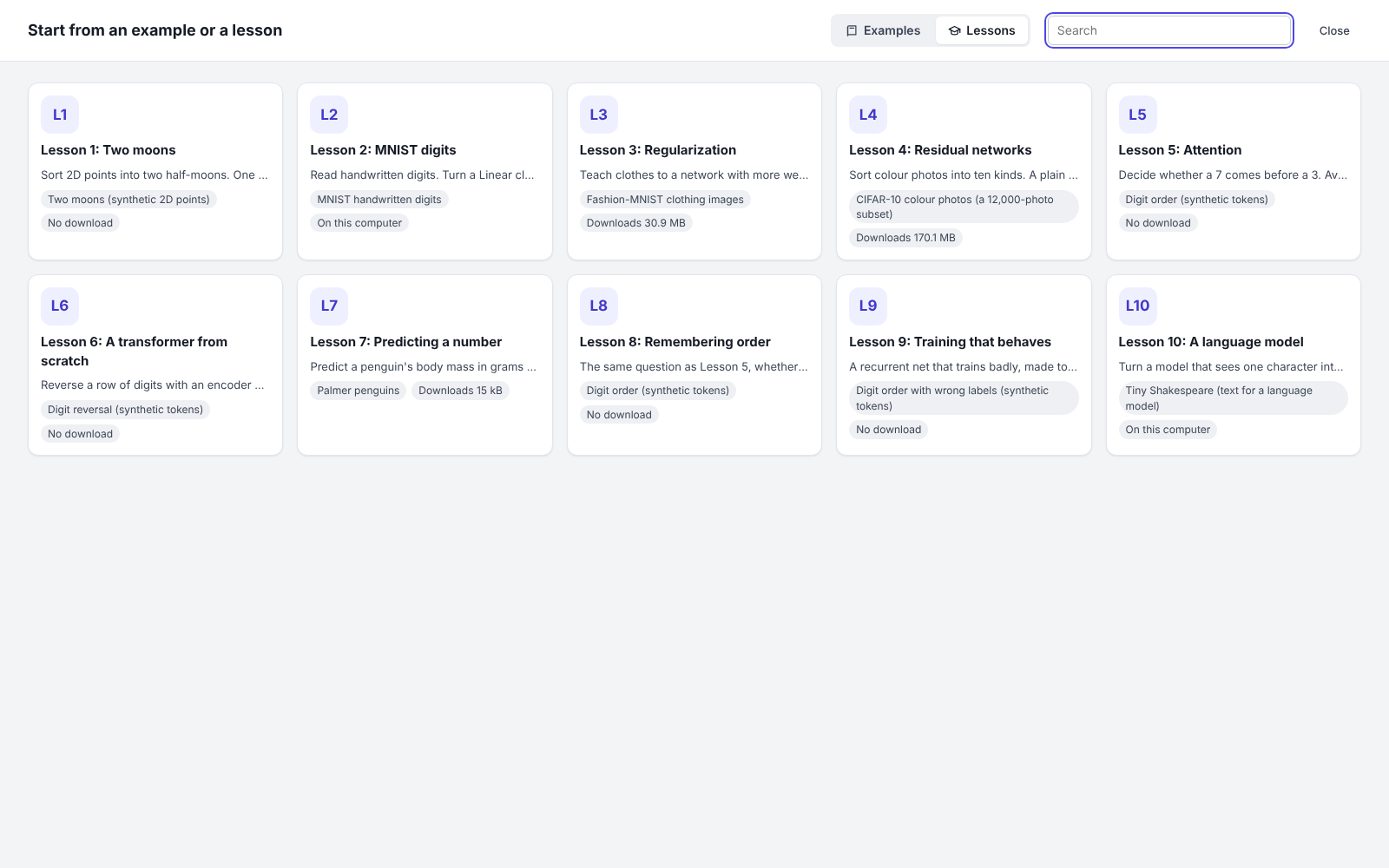
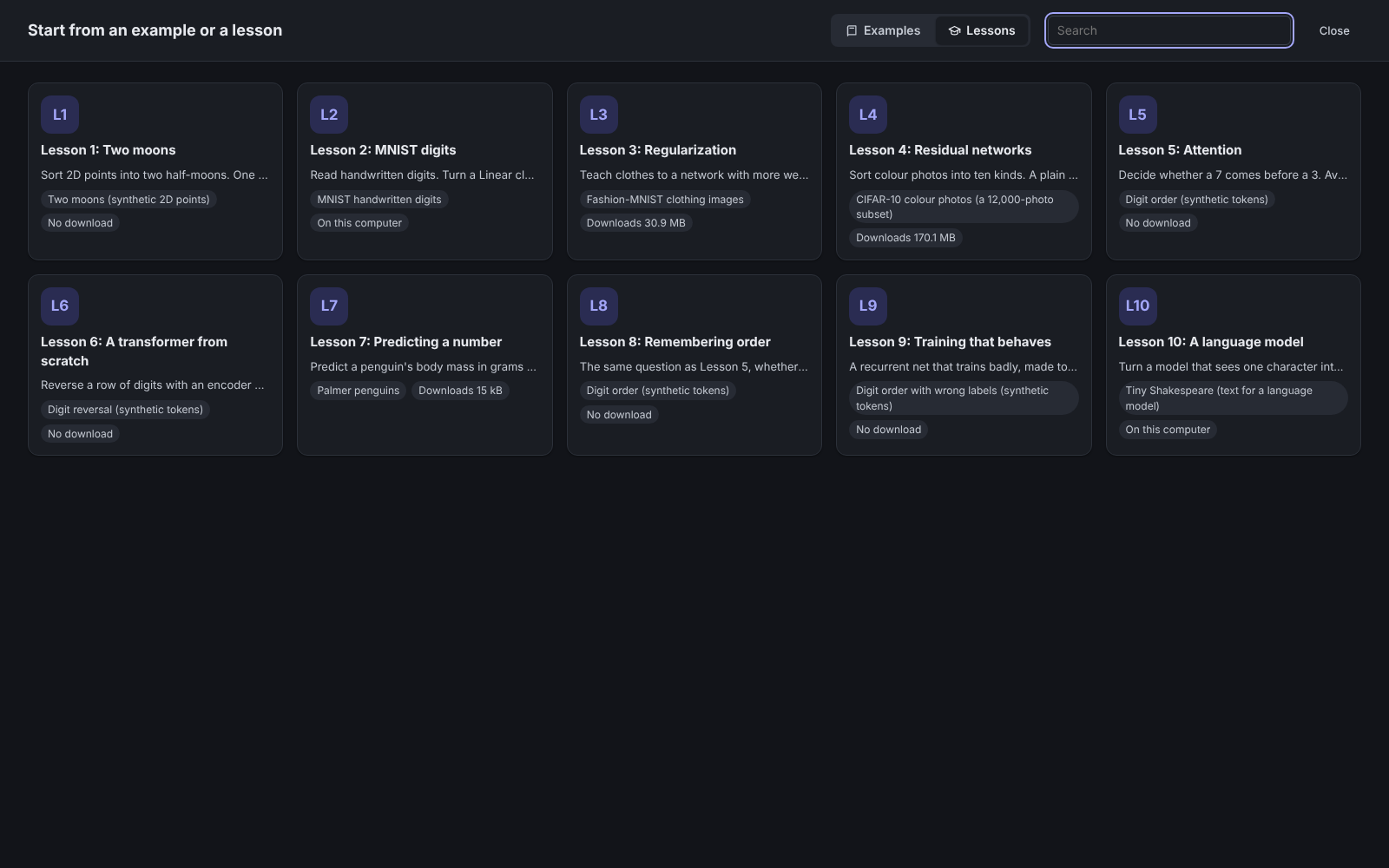
    The gallery of ten lessons, from Lesson 1: Two moons to Lesson 10: A language model, each with its dataset and what it downloads: nothing, a file already on the computer, or a size such as 170.1 MB for the CIFAR-10 photos.The gallery of ten lessons, from Lesson 1: Two moons to Lesson 10: A language model, each with its dataset and what it downloads: nothing, a file already on the computer, or a size such as 170.1 MB for the CIFAR-10 photos.The gallery of ten lessons, from Lesson 1: Two moons to Lesson 10: A language model, each with its dataset and what it downloads: nothing, a file already on the computer, or a size such as 170.1 MB for the CIFAR-10 photos.
  2. Labs that mark a model

    Labs mark the model; locked blocks stay put.
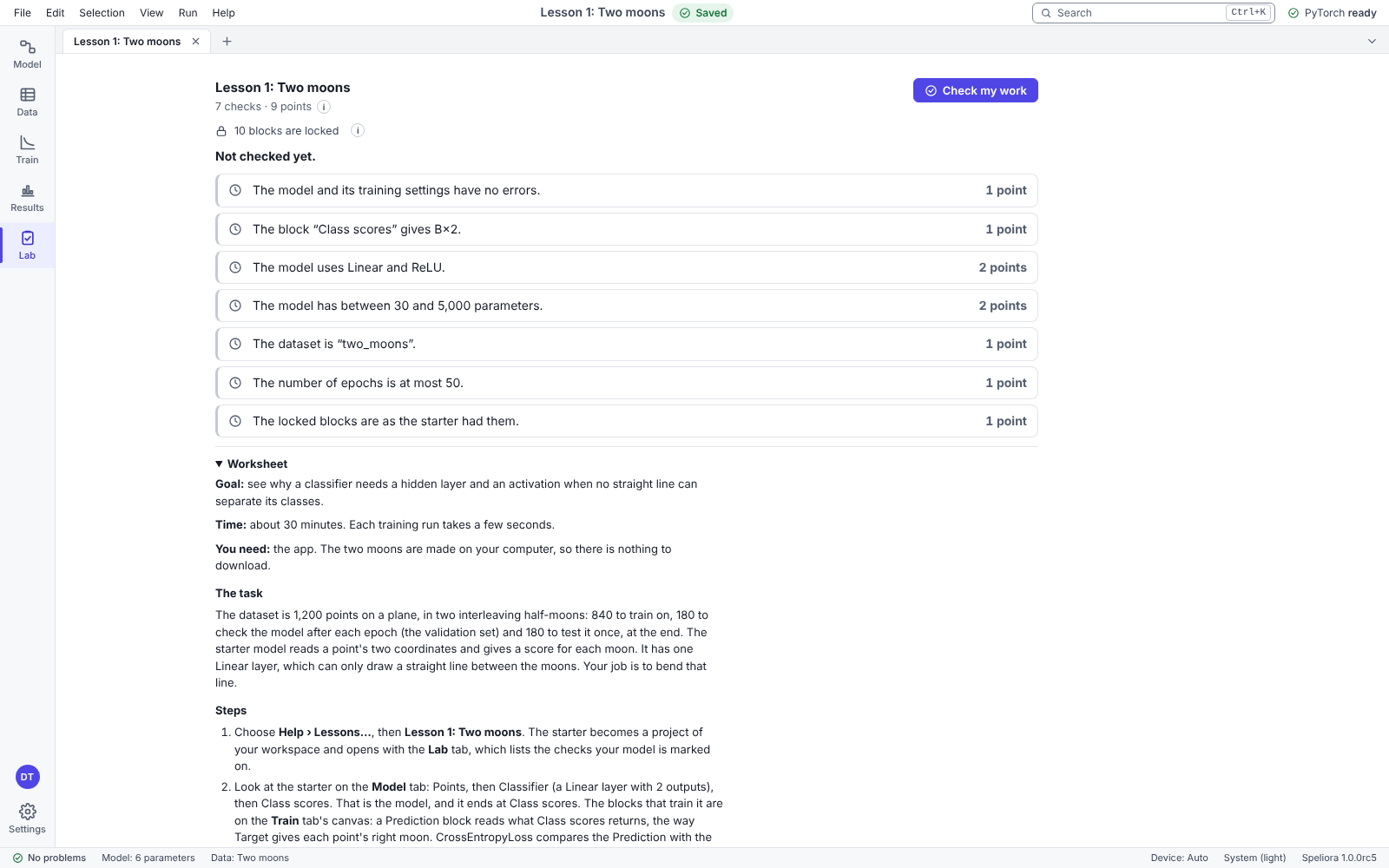
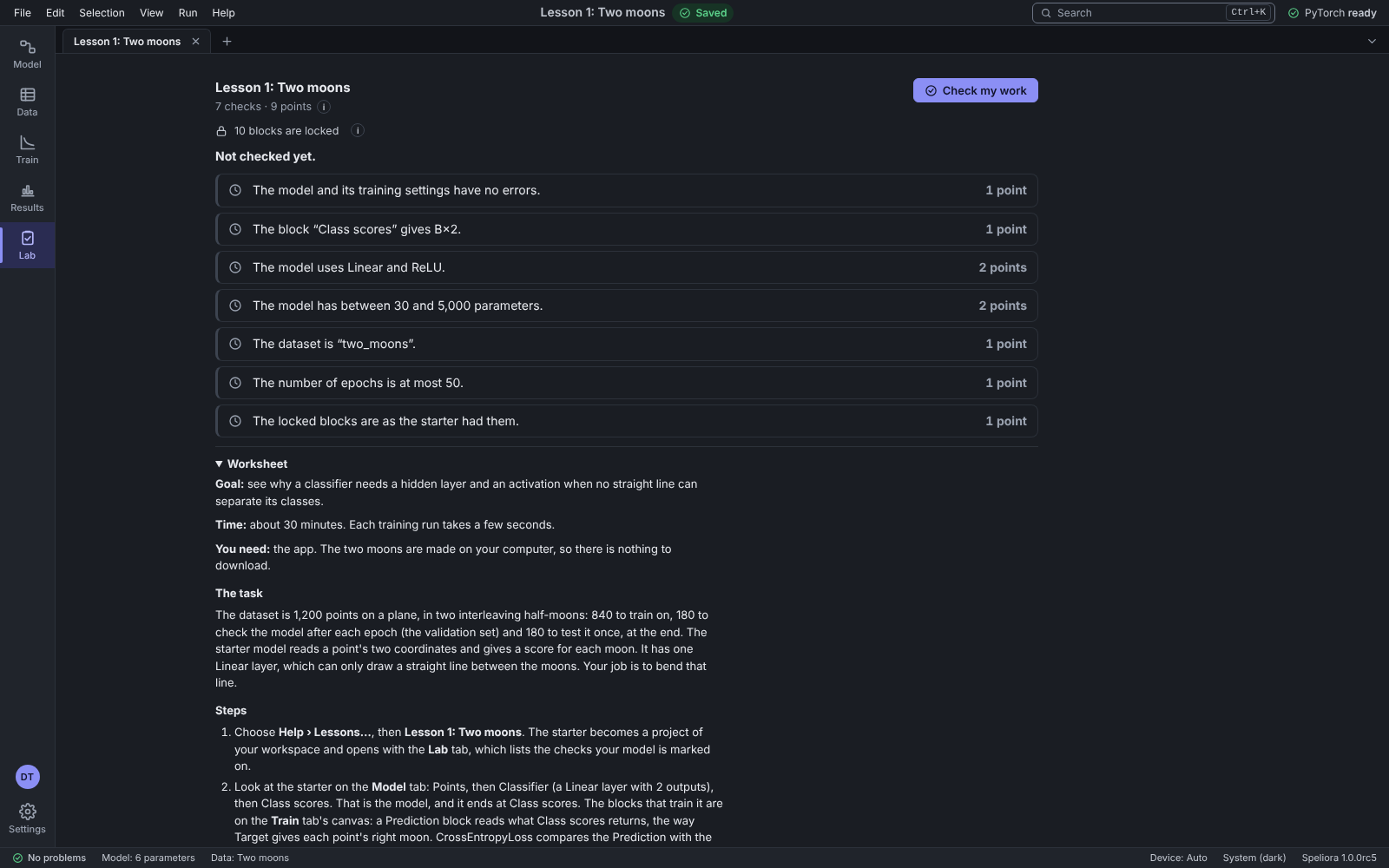
    Lesson 1, Two moons: 7 checks worth 9 points, 10 locked blocks, a Check my work button, and the worksheet with its goal, time, what you need, the task and the steps.Lesson 1, Two moons: 7 checks worth 9 points, 10 locked blocks, a Check my work button, and the worksheet with its goal, time, what you need, the task and the steps.Lesson 1, Two moons: 7 checks worth 9 points, 10 locked blocks, a Check my work button, and the worksheet with its goal, time, what you need, the task and the steps.
  3. Check my work

    Students check their model before they hand it in.

  4. Grading a folder of hand-ins

    One command marks every hand-in against the lab's checks. Nothing in a hand-in runs.

    spl grade

  5. Session summaries

    See how long each student took.

Accounts

Accounts on a shared computer.

Each student gets an account, and an admin manages them.
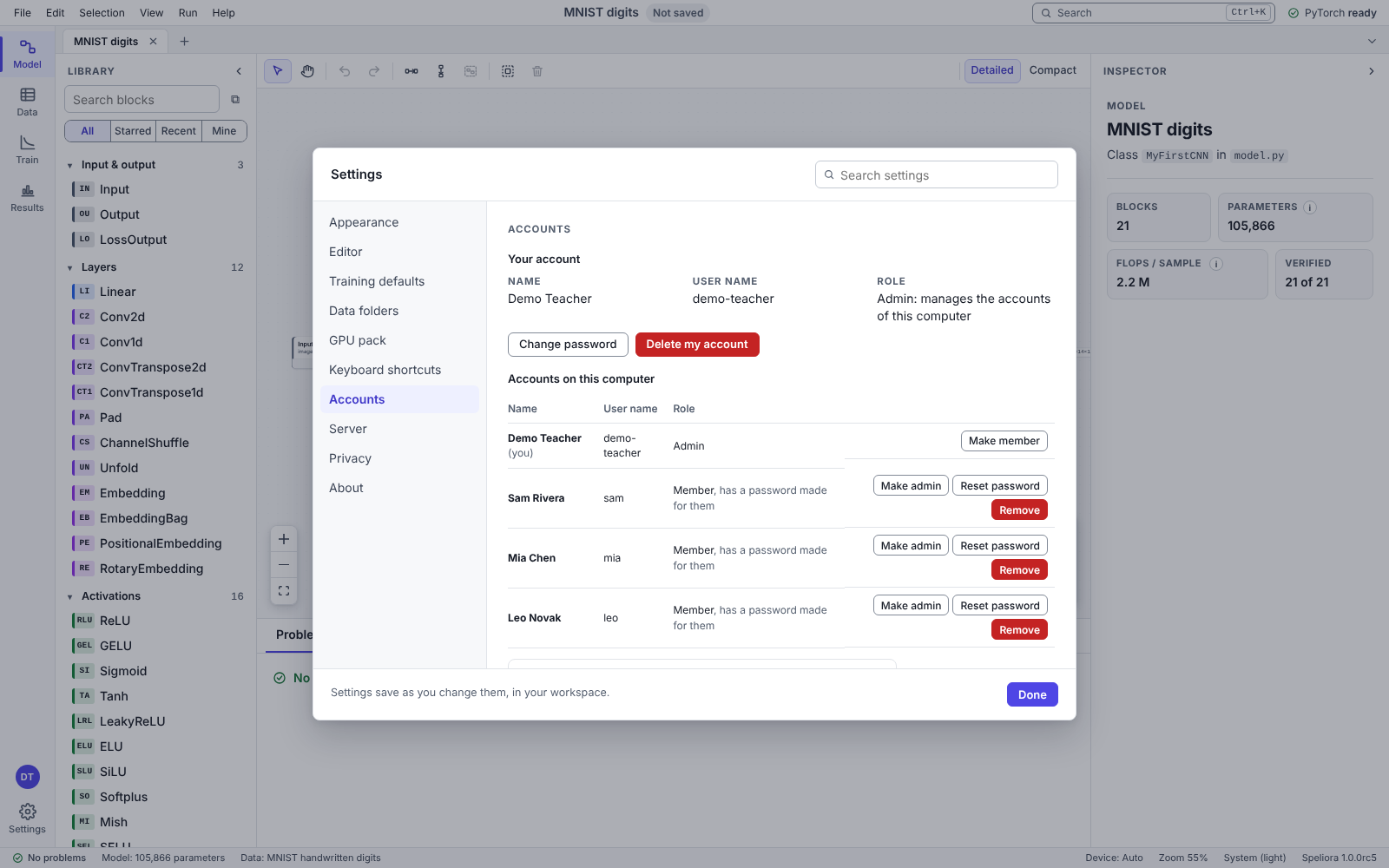
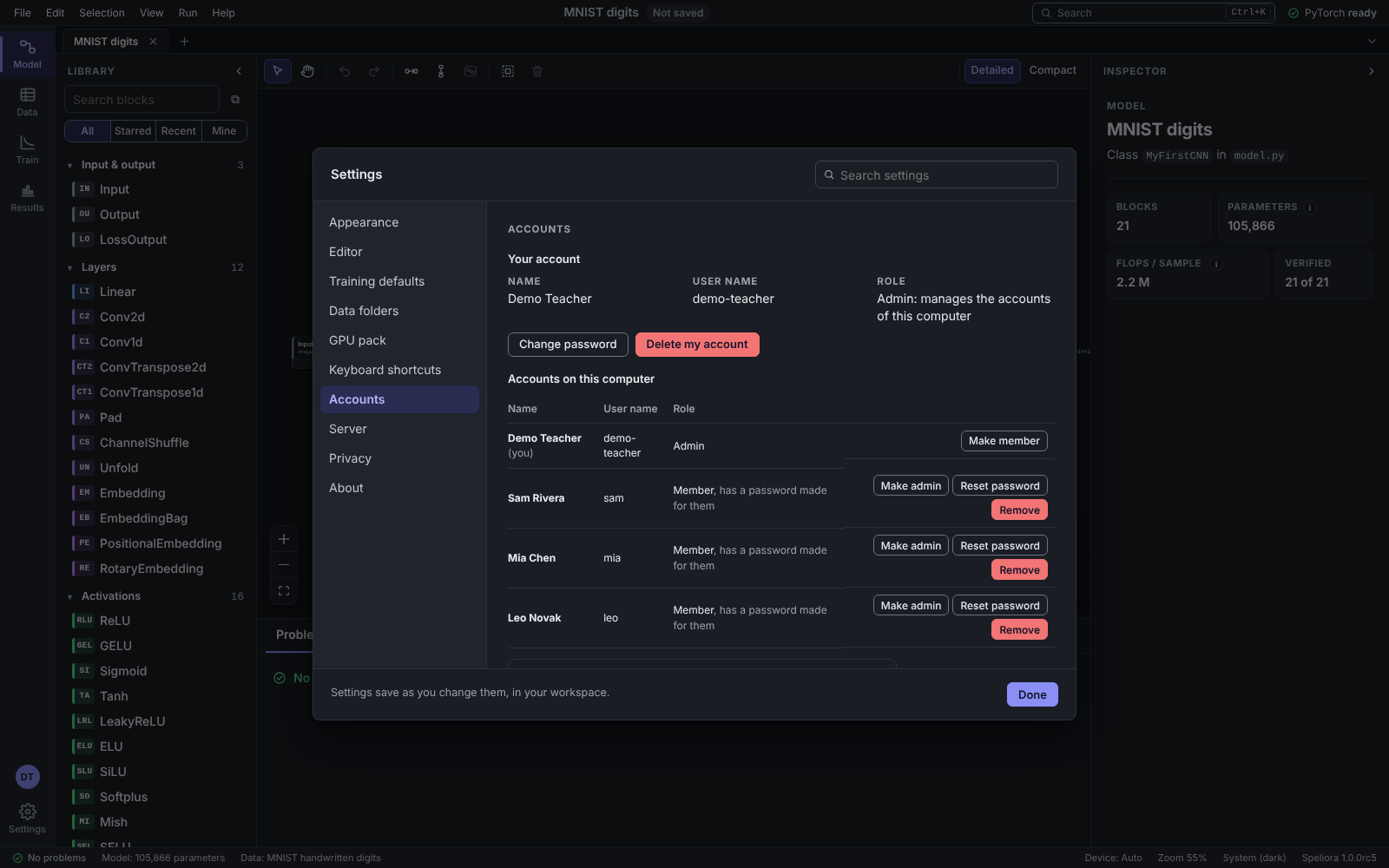
Settings, Accounts, as the admin sees them: Demo Teacher is the admin, and three made-up students, Sam Rivera, Mia Chen and Leo Novak, are members, each with buttons to make admin, reset the password or remove.Settings, Accounts, as the admin sees them: Demo Teacher is the admin, and three made-up students, Sam Rivera, Mia Chen and Leo Novak, are members, each with buttons to make admin, reset the password or remove.Settings, Accounts, as the admin sees them: Demo Teacher is the admin, and three made-up students, Sam Rivera, Mia Chen and Leo Novak, are members, each with buttons to make admin, reset the password or remove.

Guides

Guides for the people who run the lab.

Both guides come with the first release.

  • Teacher's guide

    • The ten lessons and their worksheets.
    • Labs, Check my work and locked blocks.
    • Grading a folder of hand-ins, and session summaries.
  • IT guide

    • Installing for one student, or a whole lab.
    • Downloading datasets before class.
    • What the app connects to, and accounts on a shared computer.

The download is coming soon.

The Windows app is getting ready for its first release.

Windows download coming soonWhat the computer will need